New York Magazine Perks Program
NYC-based perks program for subscribers
I recently worked on the New York magazine perks experience which offers NYC-based perks for subscribers. I designed the end-to-end experience and also conducted user research post-launch.
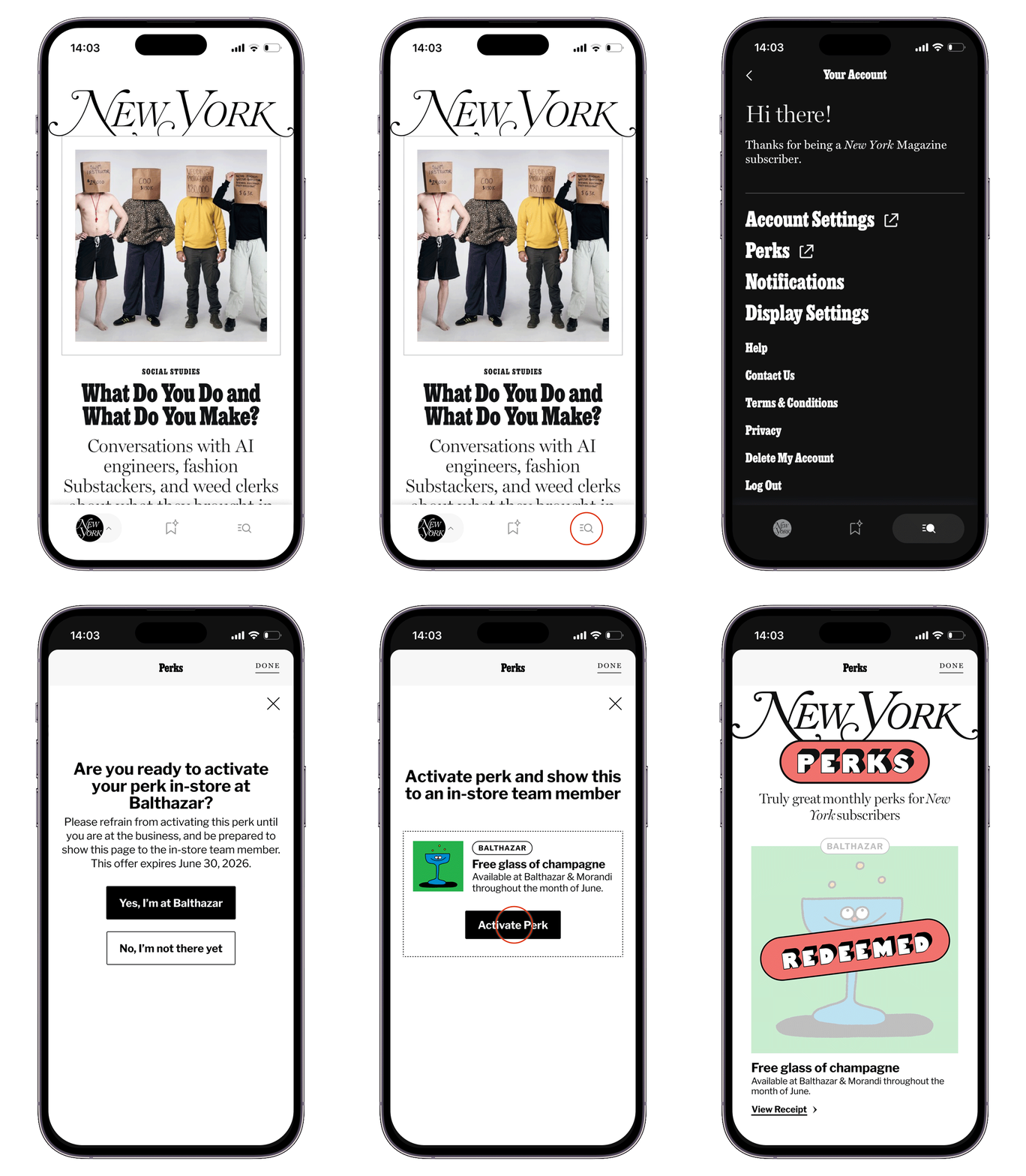 perks redemption user experience in the New York Magazine app
Goals
- Additional benefit for subscribers, meant to reduce subscriber churn
- Smooth user experience for subscribers and vendors
- Shared components between landing page & account center
- Prioritize quick build, can tweak experience post-launch
Initial Idea
The original idea was each perk would have an Apple wallet pass that each subscriber would add and they would show it at the vendor to redeem the perk. The pass gave the vendor a way to scan the subscriber's perk and make sure that each subscriber only redeemed each perk once.
But, there were concerns that subscribers would add the pass before they were at the venue and then have trouble finding the pass in their Apple wallet.
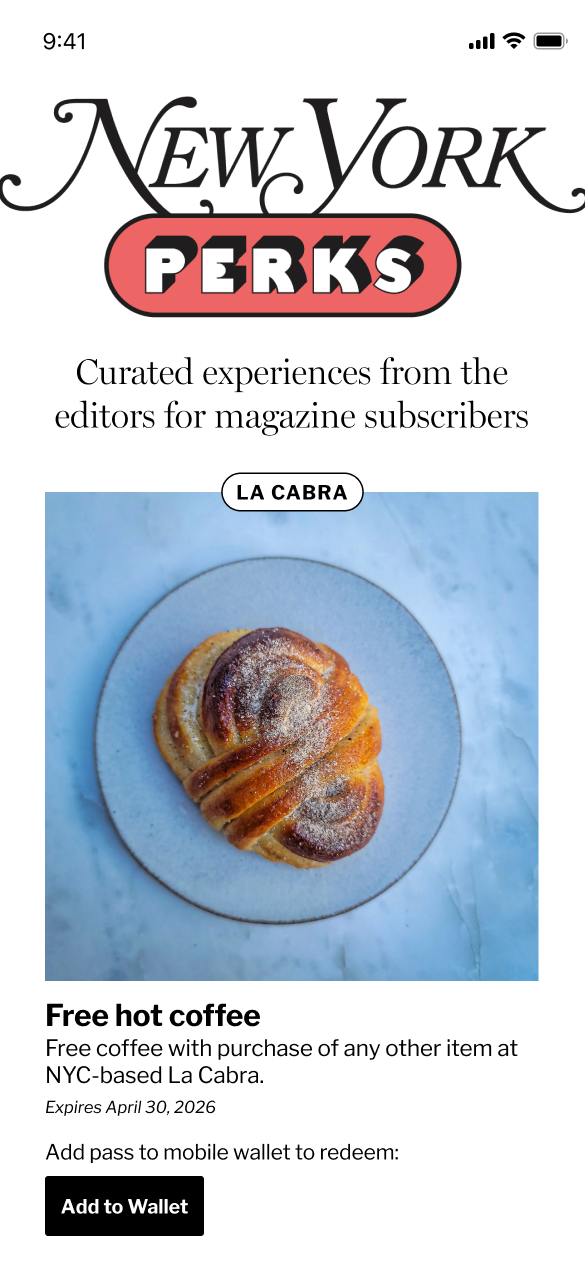 step 1 - "add to wallet" button
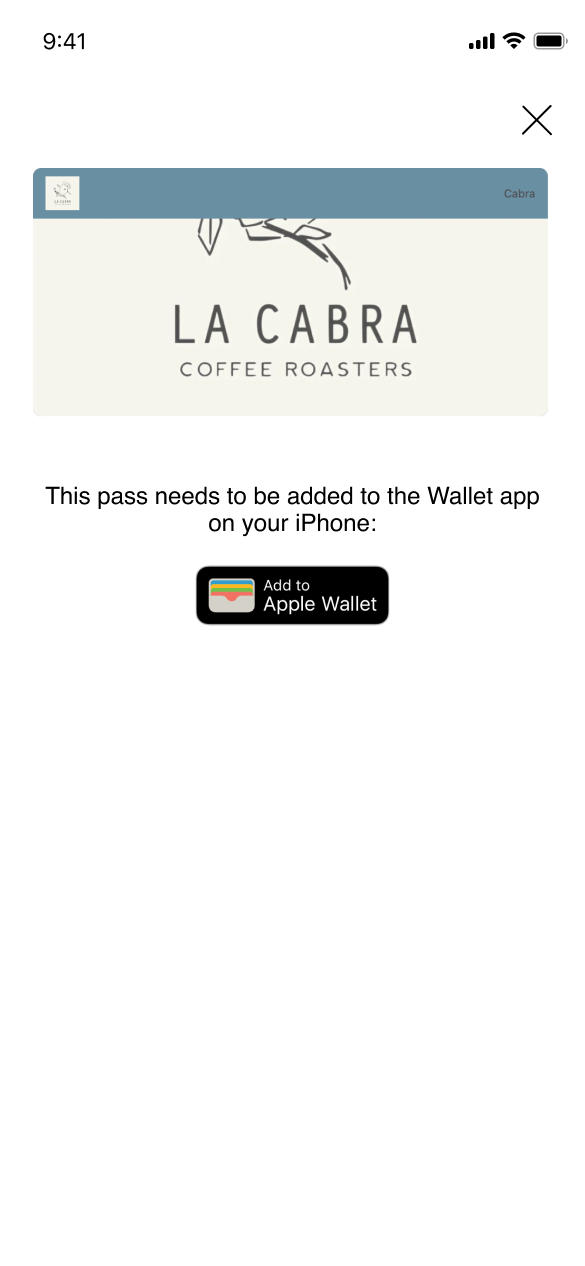 step 2 - 3rd party pass popup
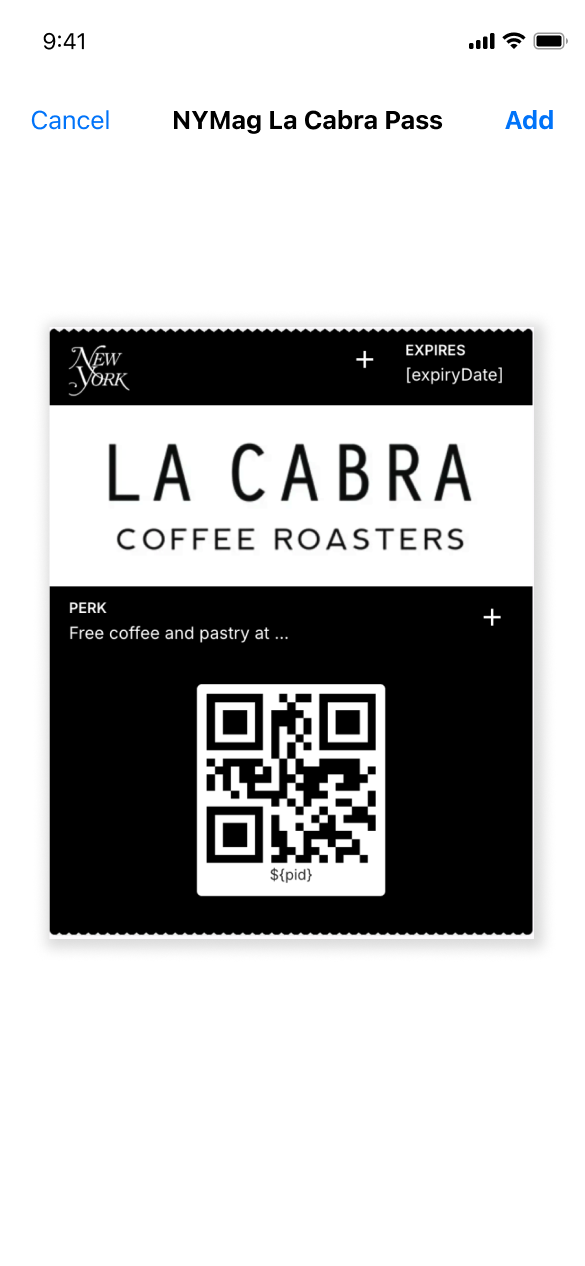 step 3 - native Apple "add to wallet"
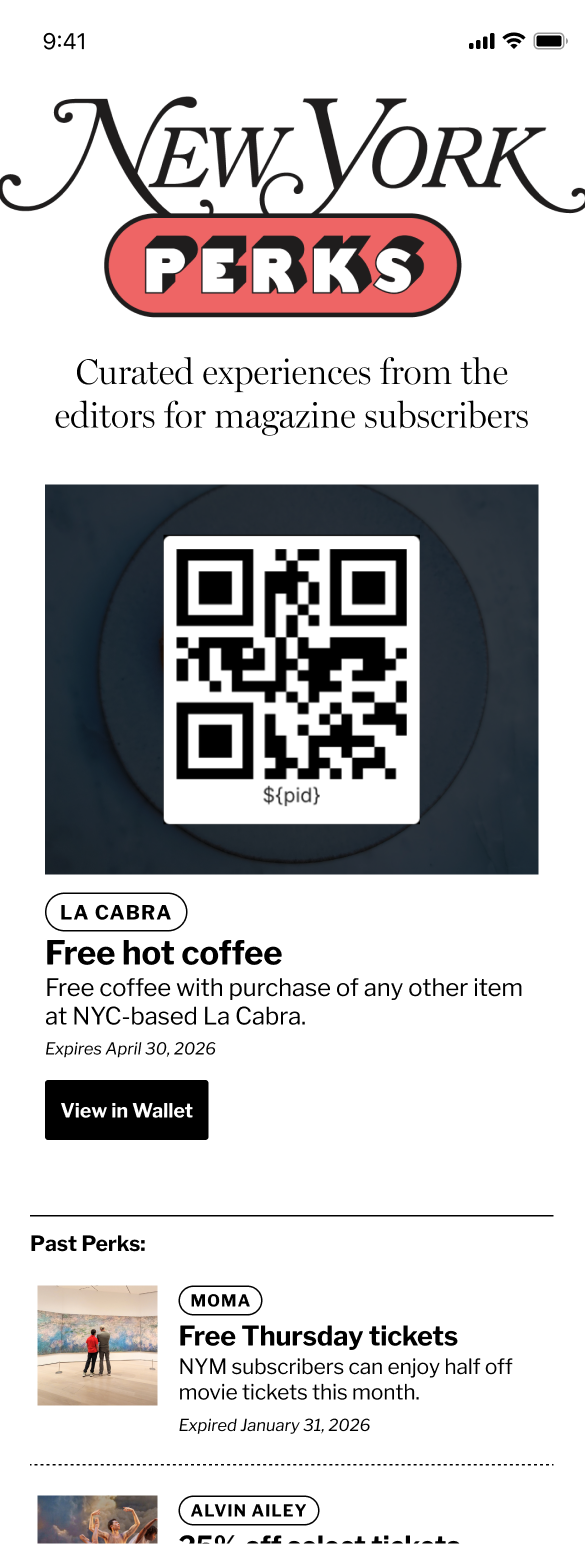 alt pass design
MVP Launch
For the MVP, we decided to change directions and design a native experience that doesn't have a barcode and the subscriber doesn't have to leave the landing page. There were concerns about wallet pass navigation and also the 3rd party vendor that marketing was using to manage the passes was very difficult to use.
For the native flow, I added a screen that asked if the subscriber is at the vendor before redeeming the perk and then we instructed vendors to look at the timestamp to check that the perk was redeemed recently.
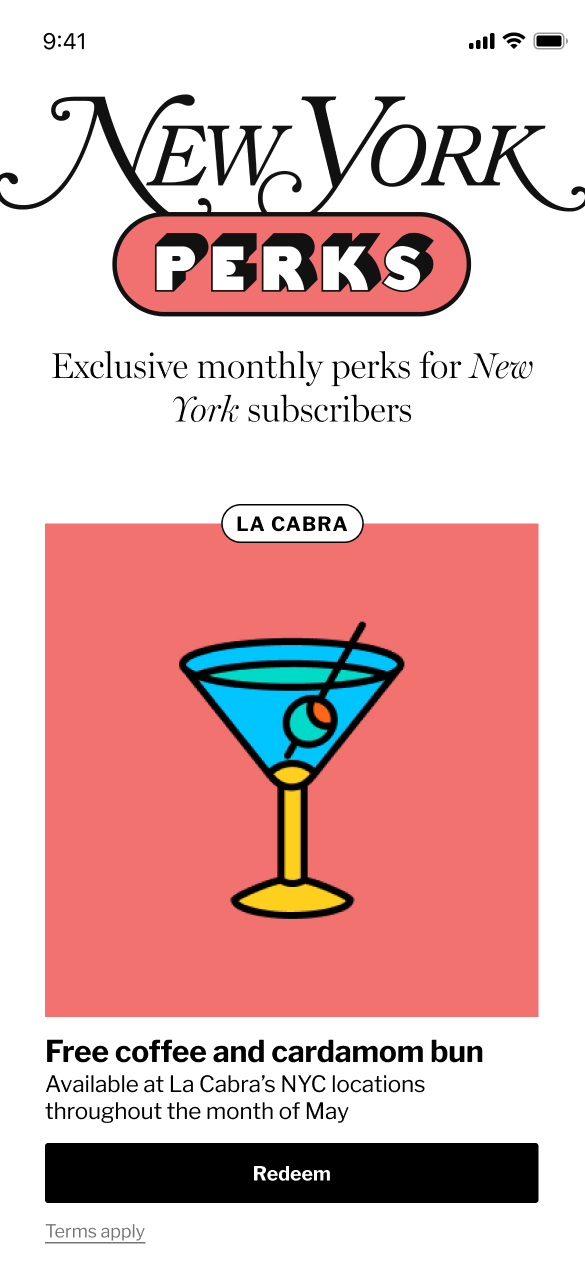 step 1 - "redeem" button
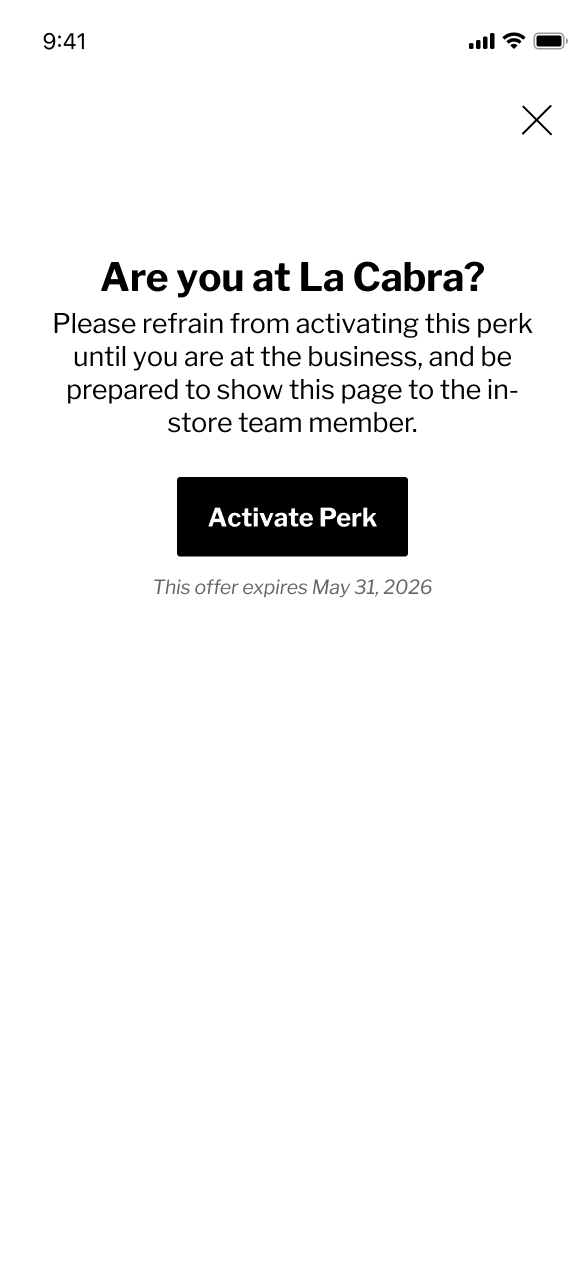 step 2 - "are you there?" screen
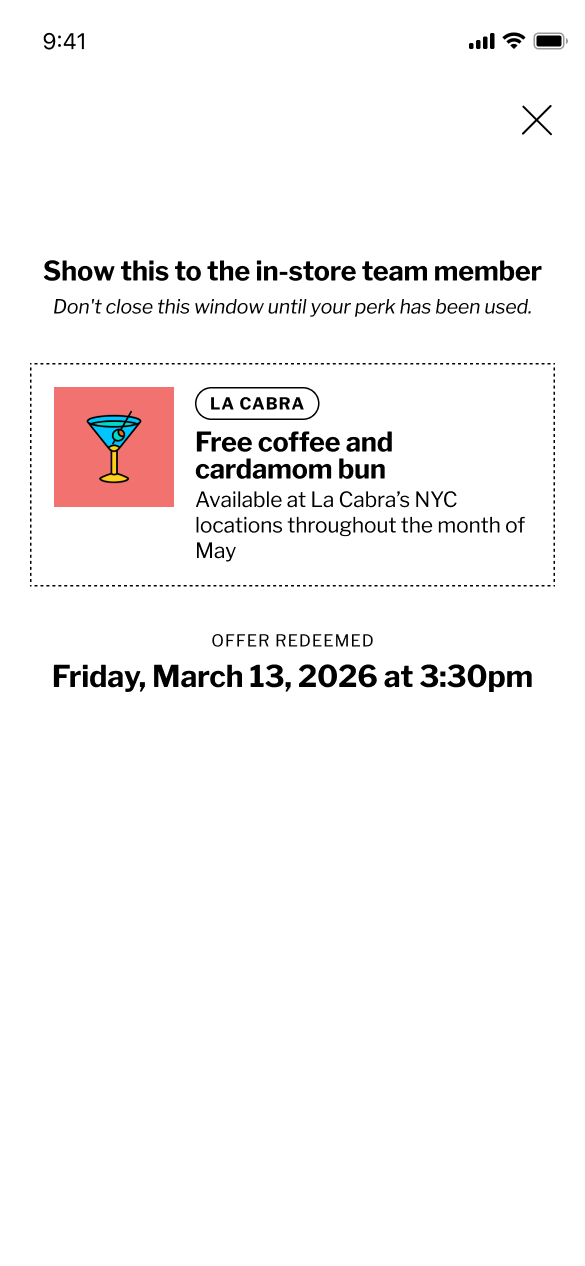 step 3 - redeemed screen
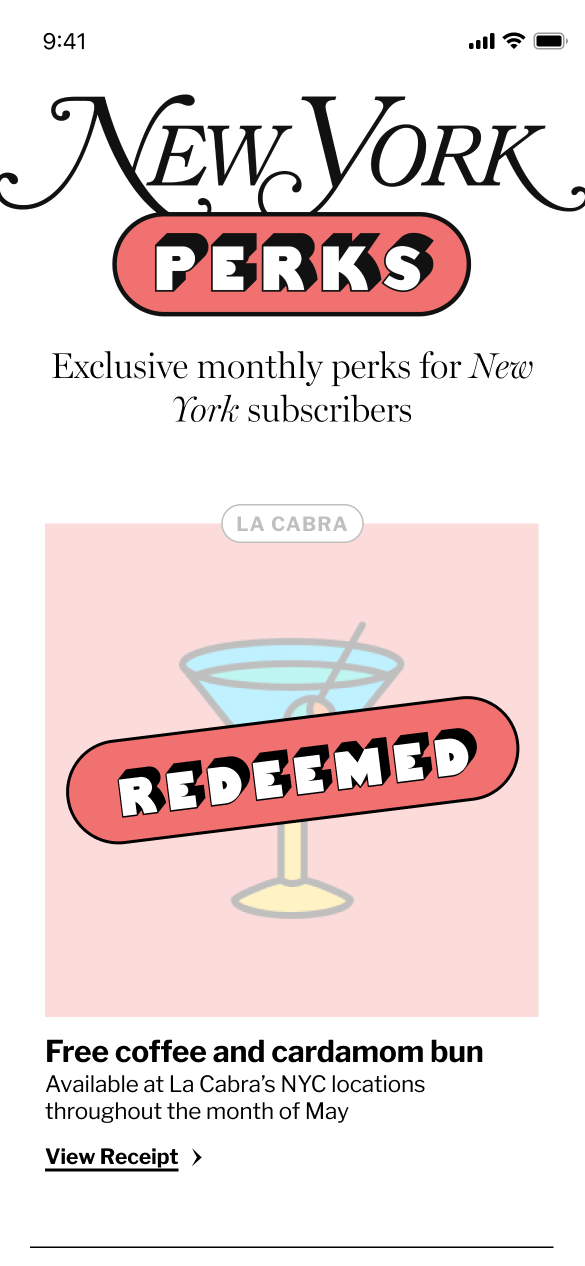 perk post-redemption
This flow worked but we noticed that with the first perk (free coffee and cardamom bun at La Cabra), subscribers were flying thru the flow and redeeming the perk before they were physically at one of the La Cabra locations. I needed to slow users down and make sure they understood the perk experience before they redeemed their perk.
User Testing
I decided to conduct user testing by showing users 3 different flows, watching them go through the steps and asking questions about how they understood the experience.
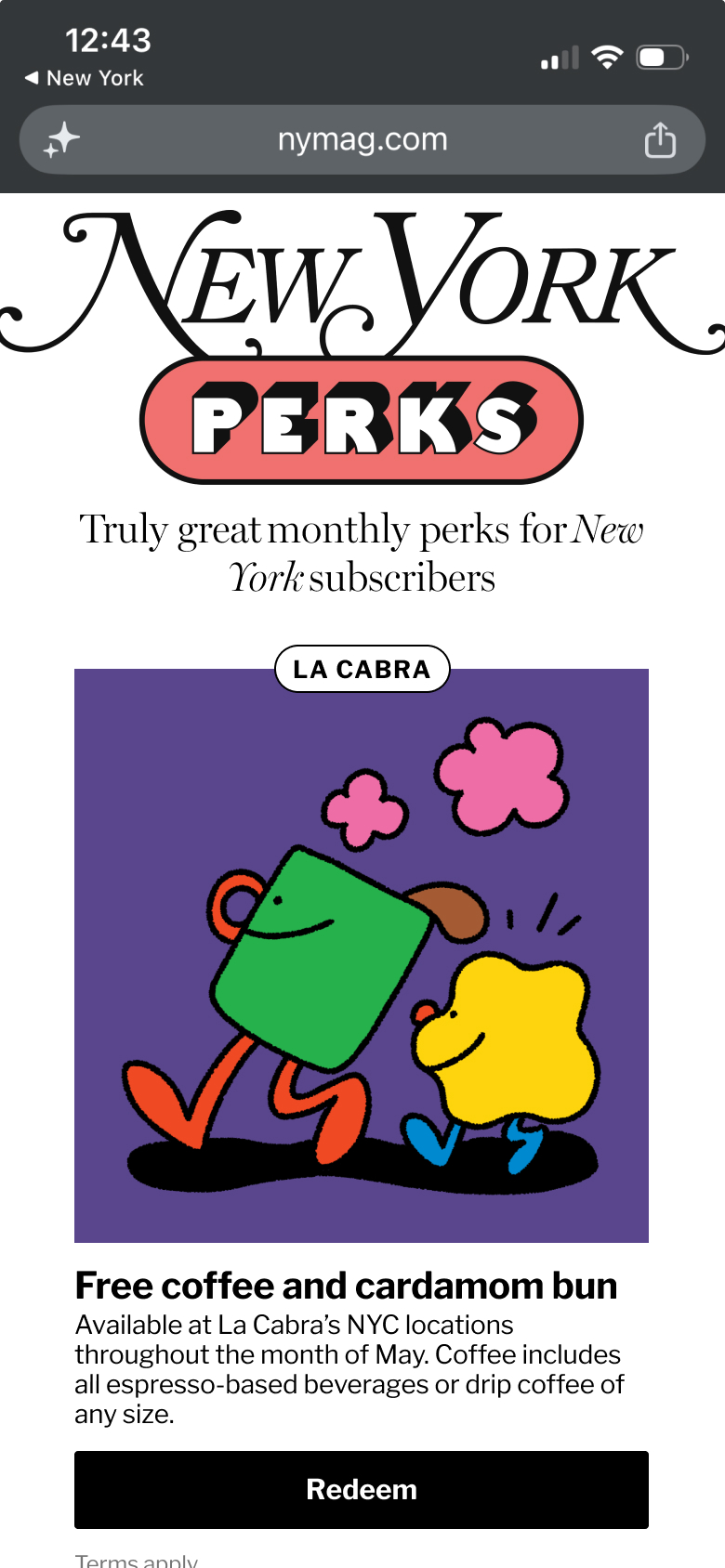 option 1 - step 1
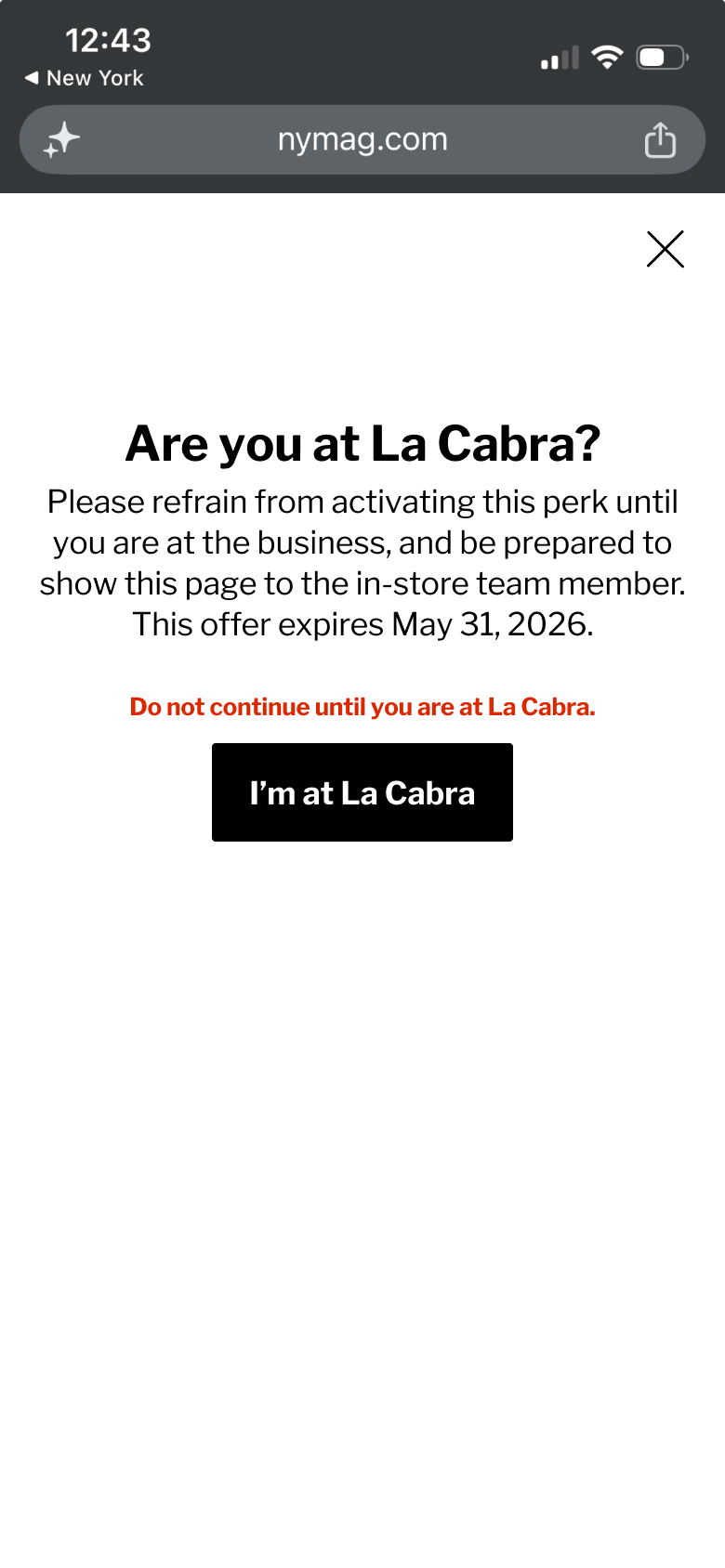 option 1 - step 2
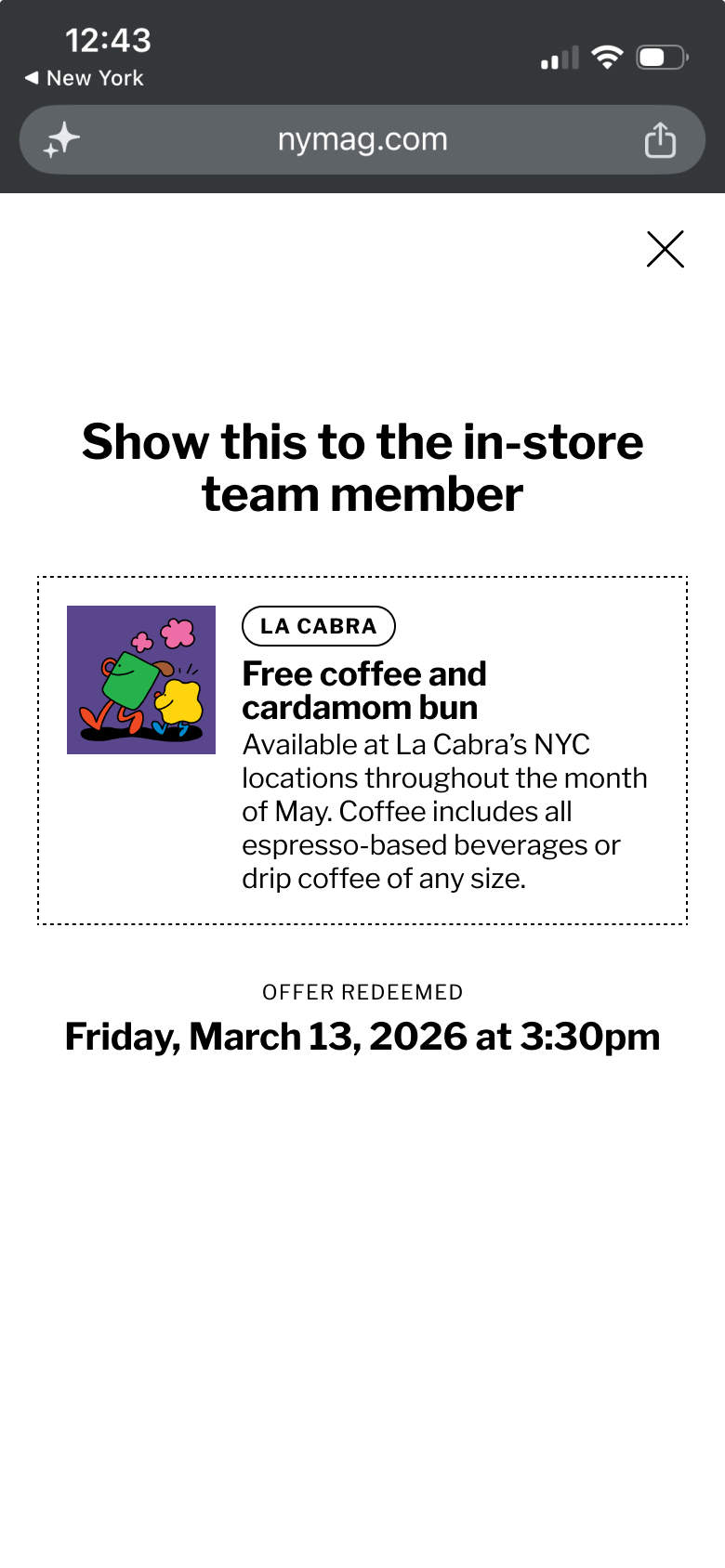 option 1 - step 3
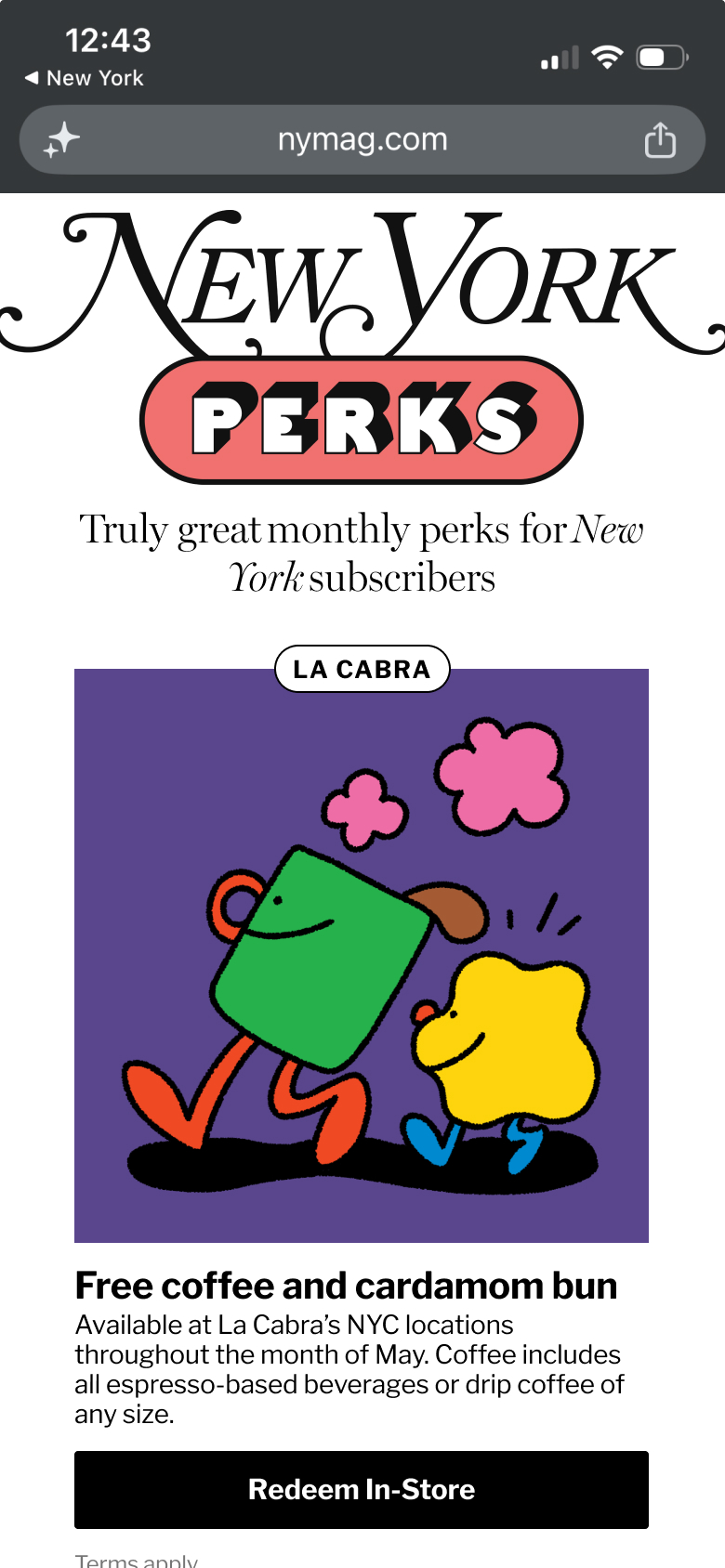 option 2 - step 1
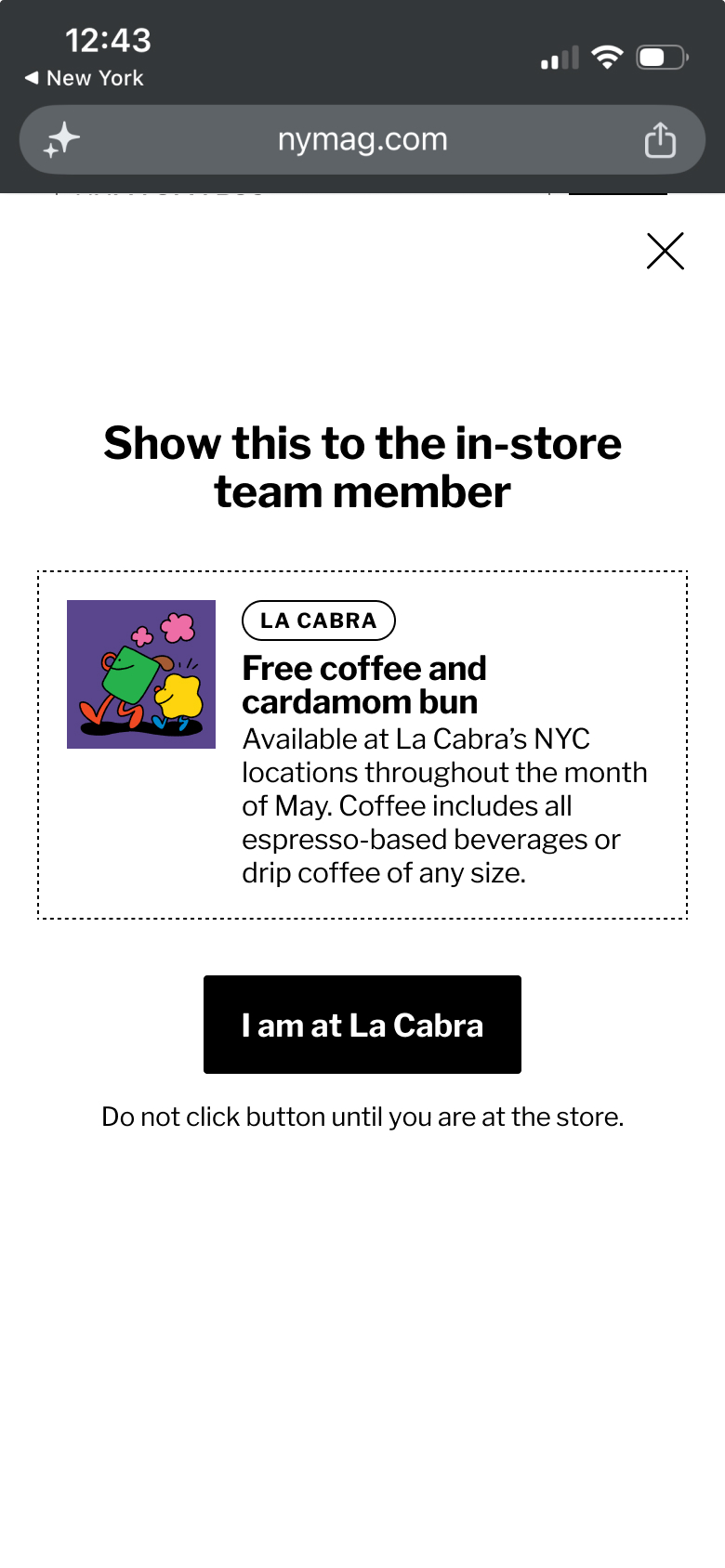 option 2 - step 2
option 2 - step 3
option 3 - step 1
option 2 - step 2
option 2 - step 3
option 3 - step 1
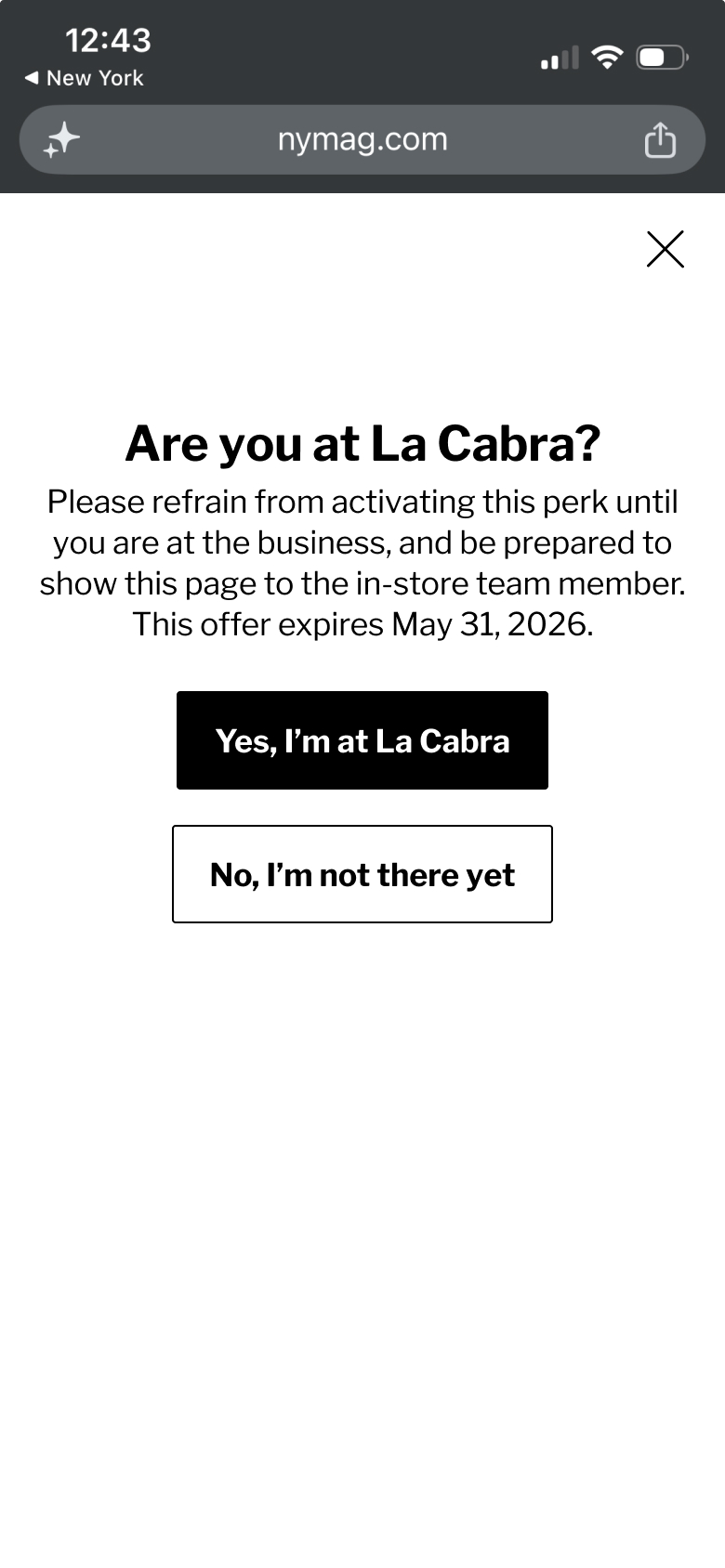 option 3 - step 2
option 3 - step 3
option 3 - step 2
option 3 - step 3
Option 3 tested the best because it asks if the user is at the vendor location and has 2 options for the user to pick from: "Yes, I am there" or "No, I am not there." This slowed users down and made them read the copy so they understood the overall experience.
Post-MVP Refinements
Before the Balthazar perk launched, we updated the experience to include options 2 and 3. I wanted to include the yes/no buttons from option 3 because that tested the best but was worried people would still fly thru the flow so brought in the extra "redeem perk" button from option 2.
These updates resulted in a 98% conversion rate for perk redemption.
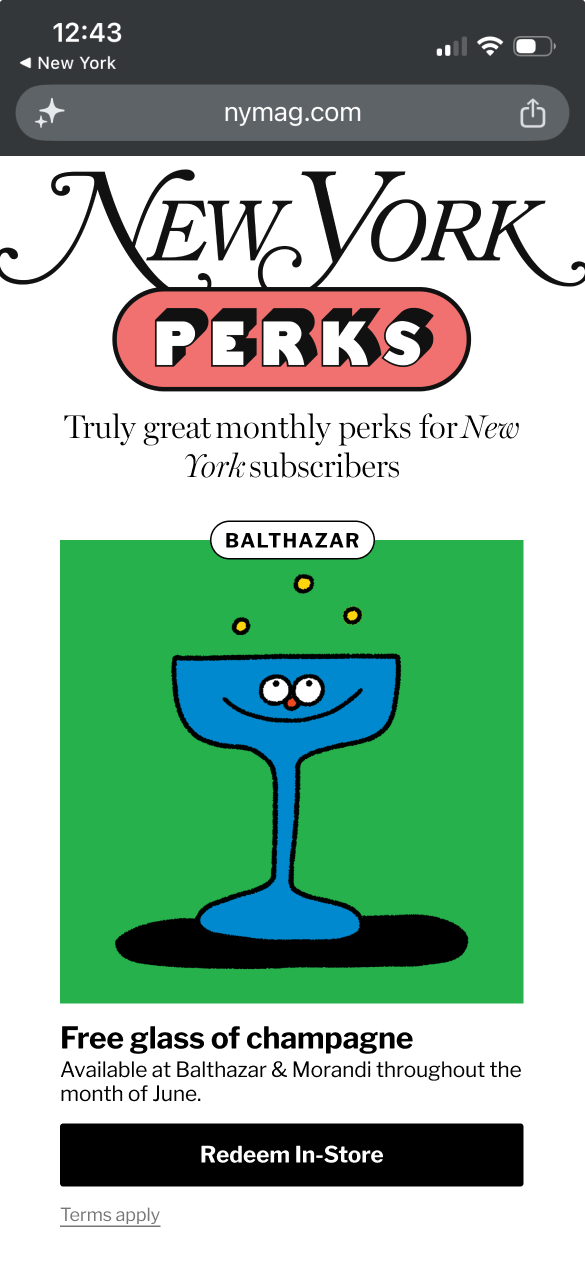 step 1 - "redeem in-store" button
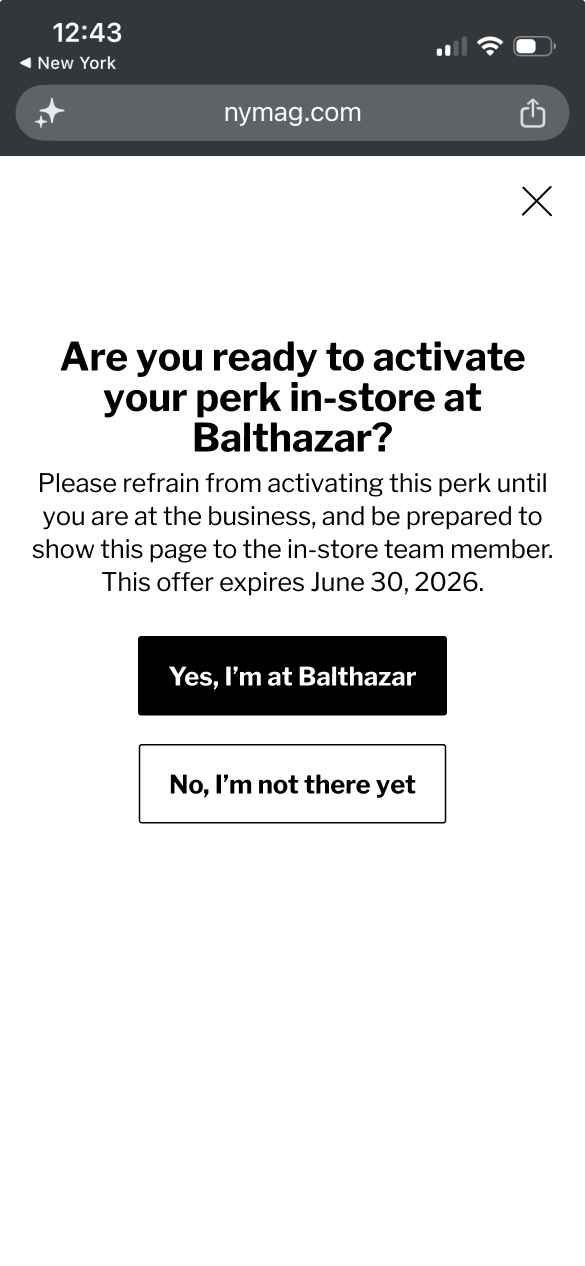 step 2 - yes/no buttons
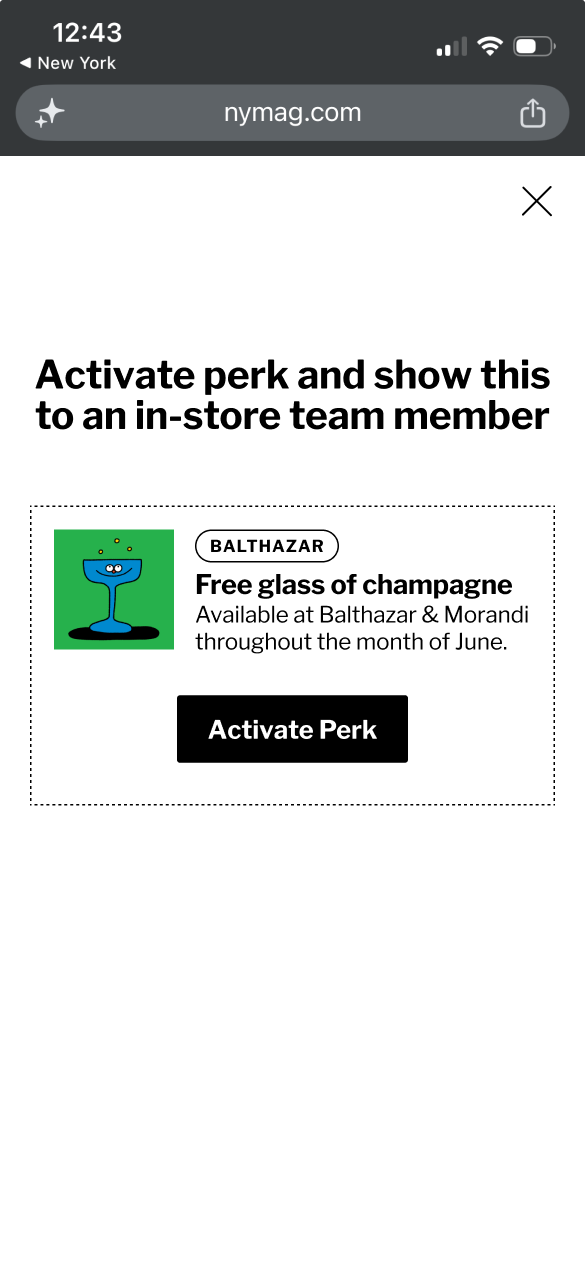 step 3 - activate perk
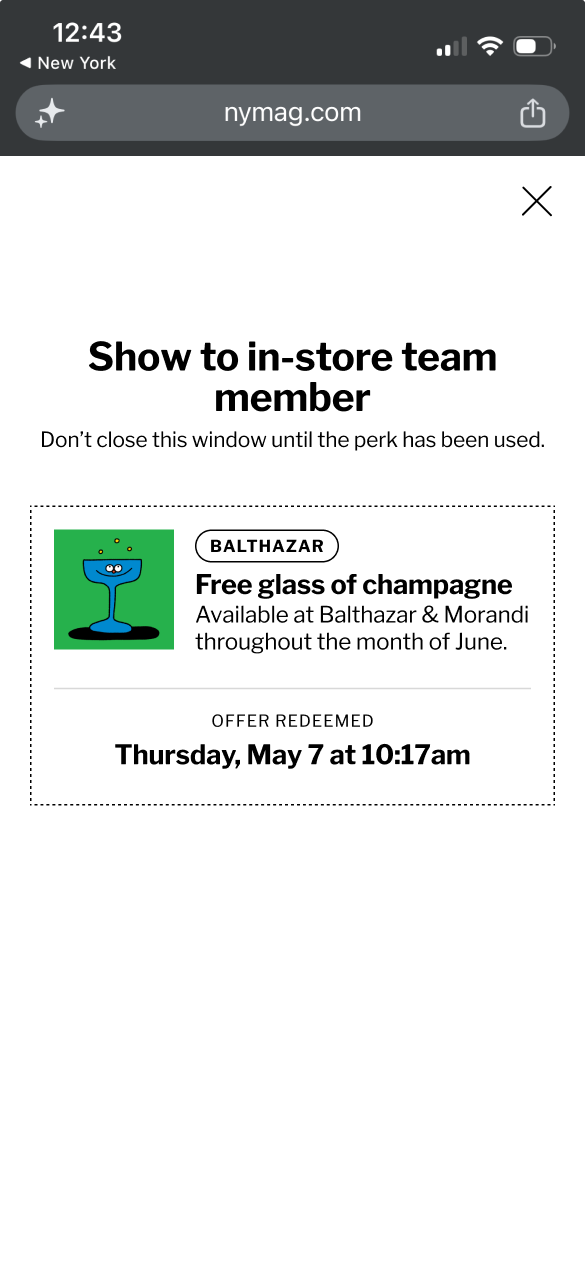 step 4 - show to team member
Account Center
The perks experience also works from the account center in case subscribers go there looking for their perks.
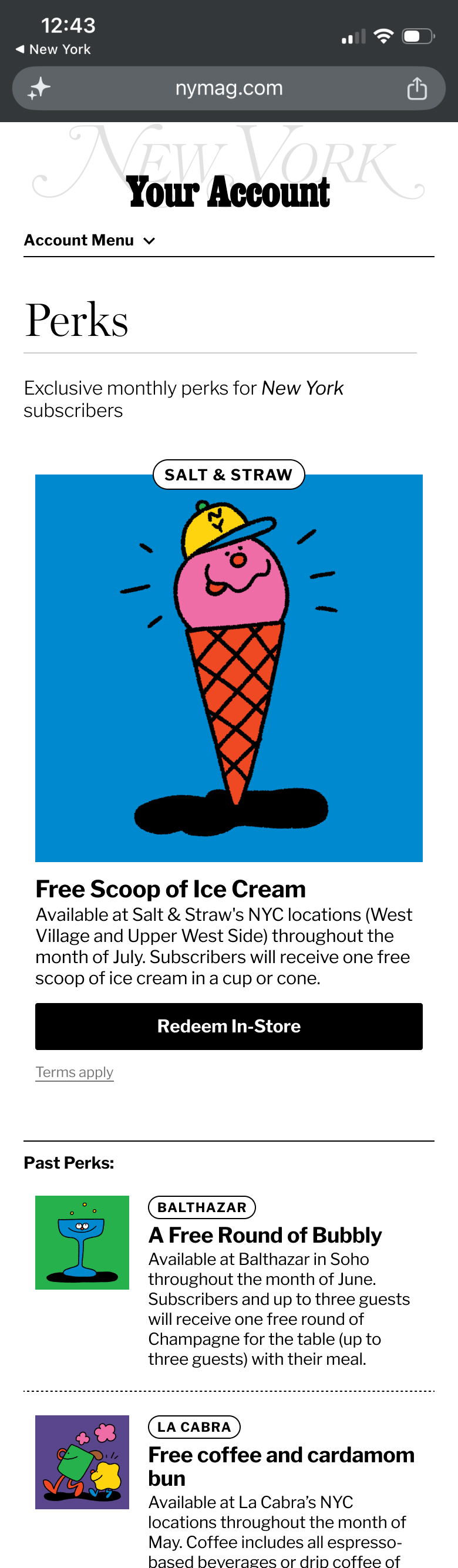 perks experience from NYMag Account Center
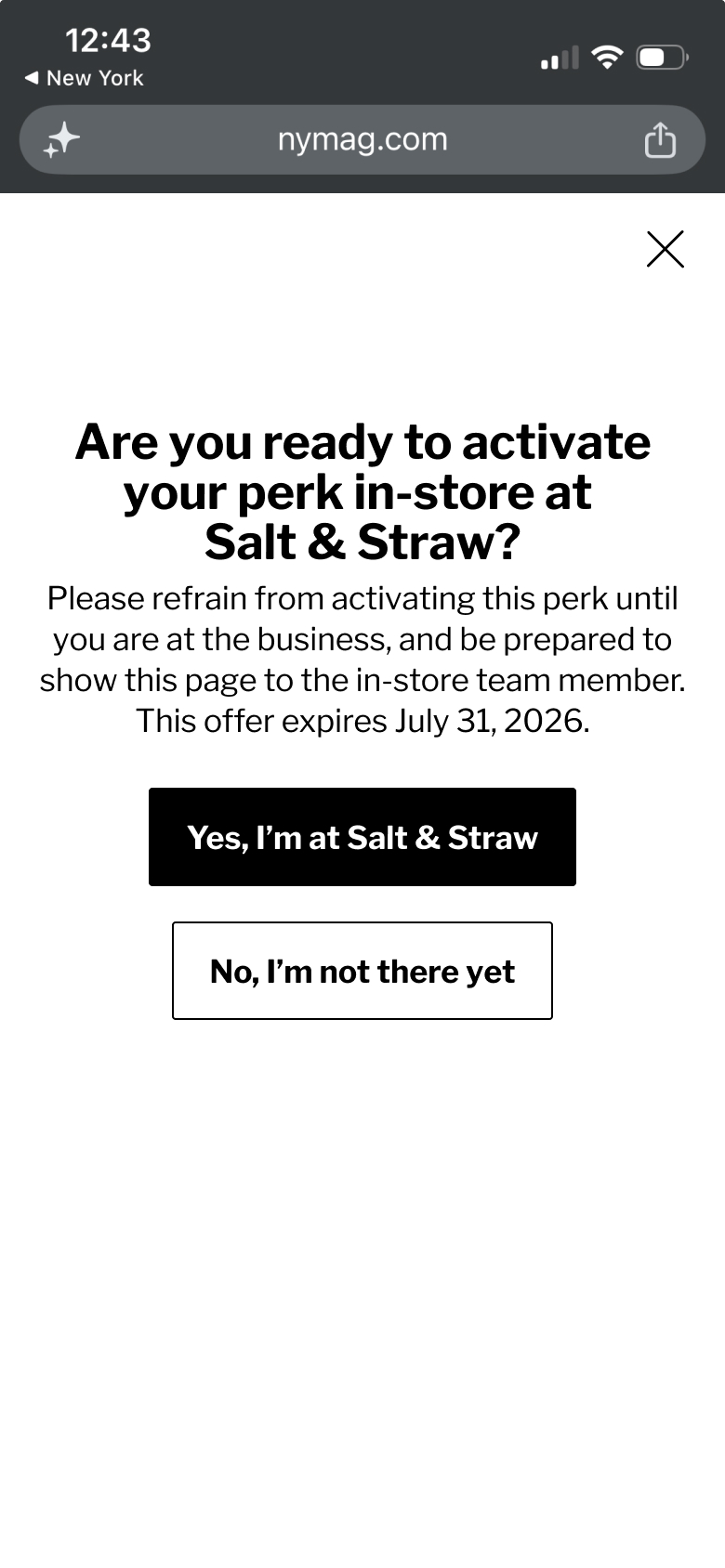 perks experience from NYMag Account Center
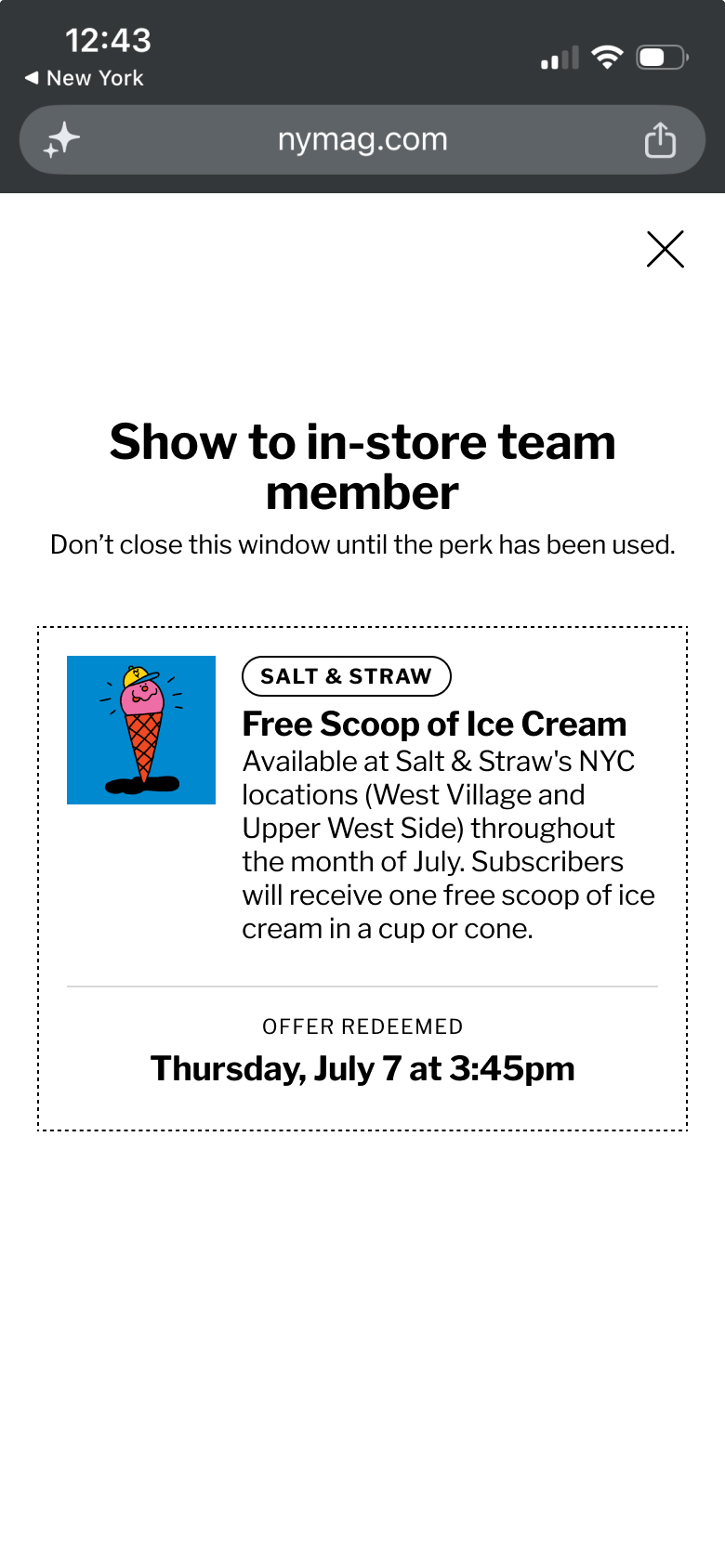 perks experience from NYMag Account Center
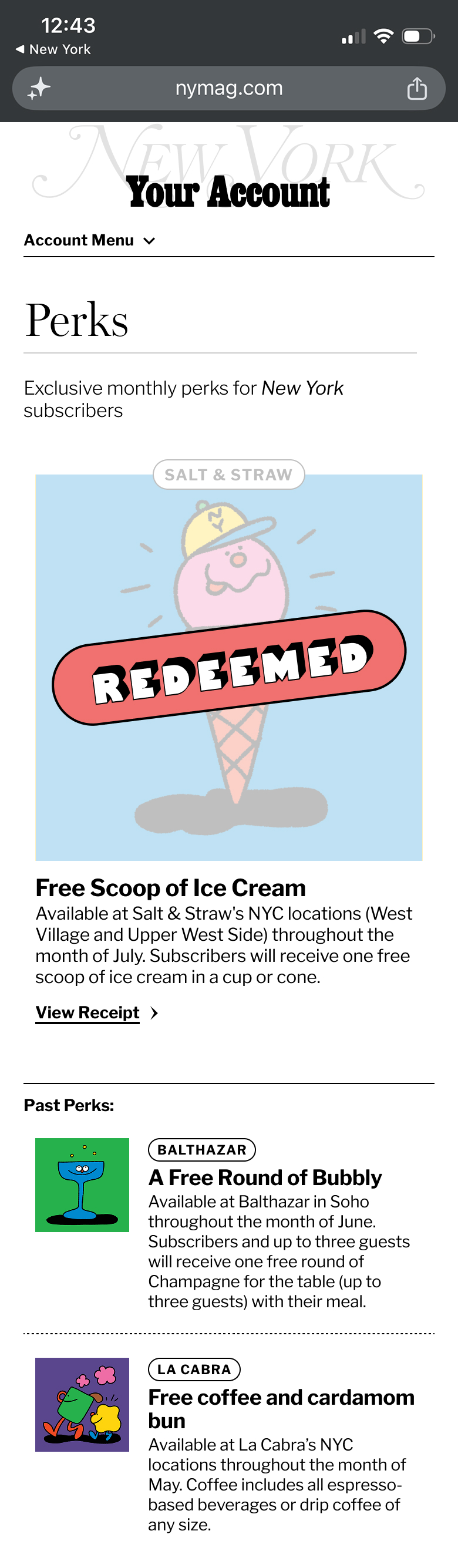 perks experience from NYMag Account Center