Eater Perks
Creating an Eater Perks experience using Cursor
Eater decided they wanted a perks experience like New York Magazine. They wanted their perks to be connected to Eater Awards and have different perks for each city but the perk redemption experience would be the same. Because I had already designed the core experience for New York Magazine, I figured we could move quicker building this project with Cursor.
Initial Prototype
To start the project, I worked with product on which features we wanted from the New York Magazine experience vs. which features we needed to add:
- City Picker - Eater wants different sets of perks for each city instead of a centralized landing page for all perks so I need to give the user the option to select the city they're interested in.
- Sign In - For New York Magazine, there was a "sign in" button at the top of the page if you weren't logged in. For Eater, we decided to have a small "sign in" link at the top but if you weren't logged in, the sign in form would appear in a modal when you click "redeem in-store."
- Eater Awards branding - The editorial project had specific branding and the perks experience is part of that project. This meant we could use global Eater components but I would need to tweak their styling so the page felt more like a branded landing page.
Because the flow had already been tested and finalized for New York Magazine, I moved straight to prototyping for Eater. I used global Eater components (buttons, sign in forms, headings, etc) for both the original flow and the new Eater-specific features.
Design Iterations
I sent this prototype to product, engineering and marketing so they would have a general idea of how the page would work. Then, I moved on to updating the visual design for the page to fit with the Eater Awards branding.
The Eater creative director sent me some of the work she'd done for Eater Awards so I could base the perks visual design off of it.
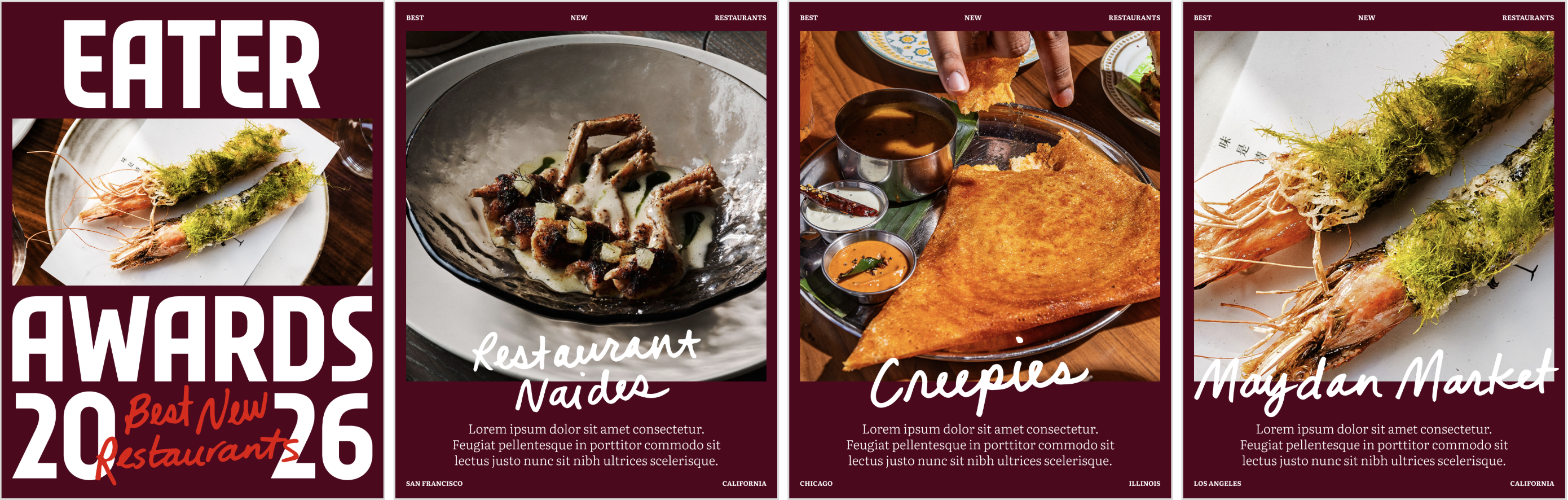 design for 1 award category
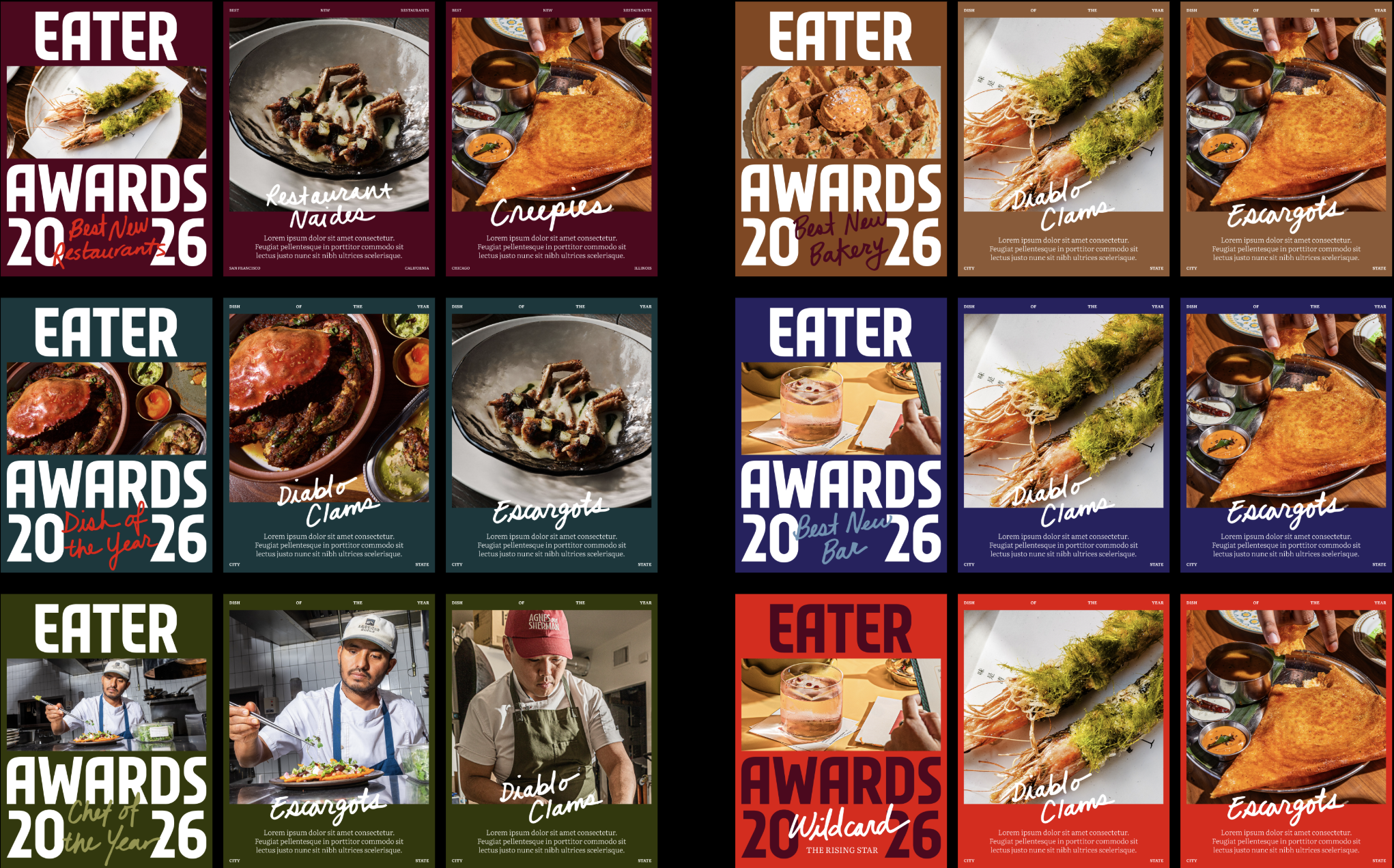 design for all award categories
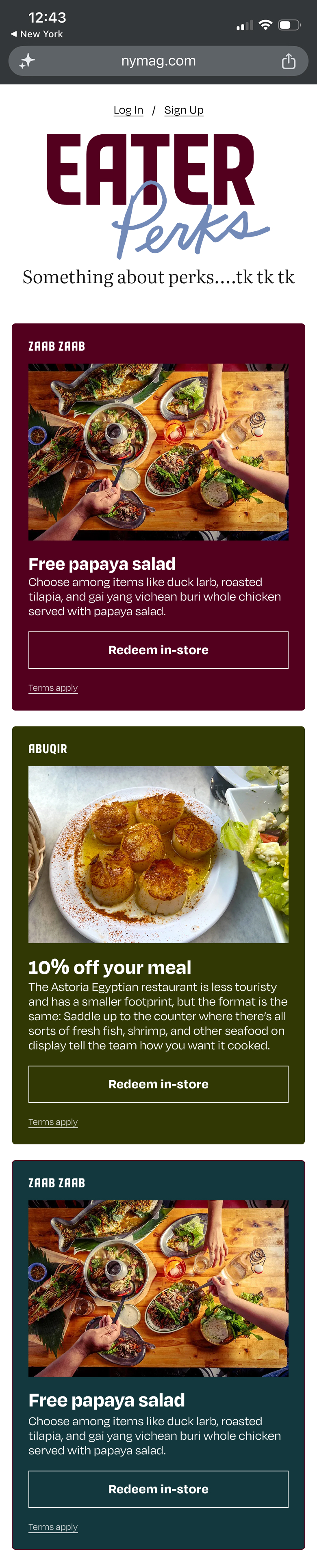
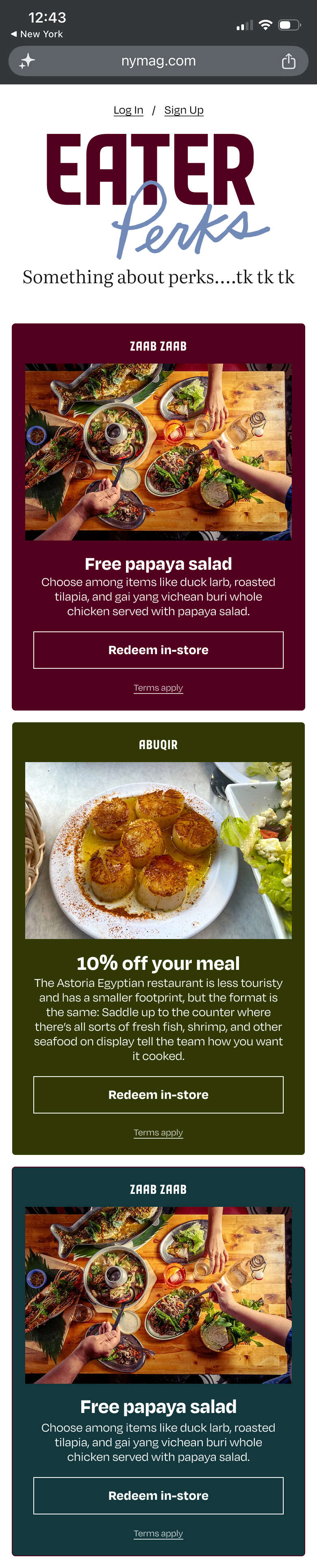
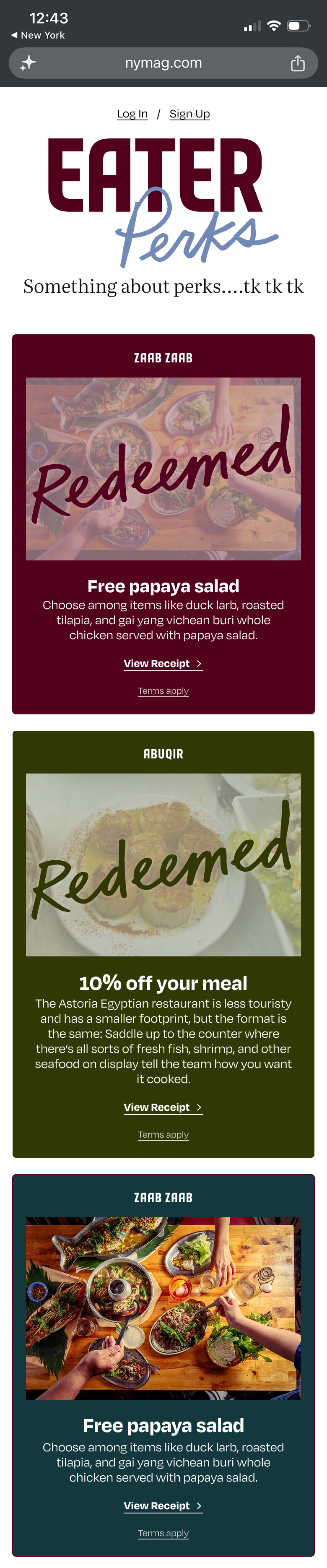
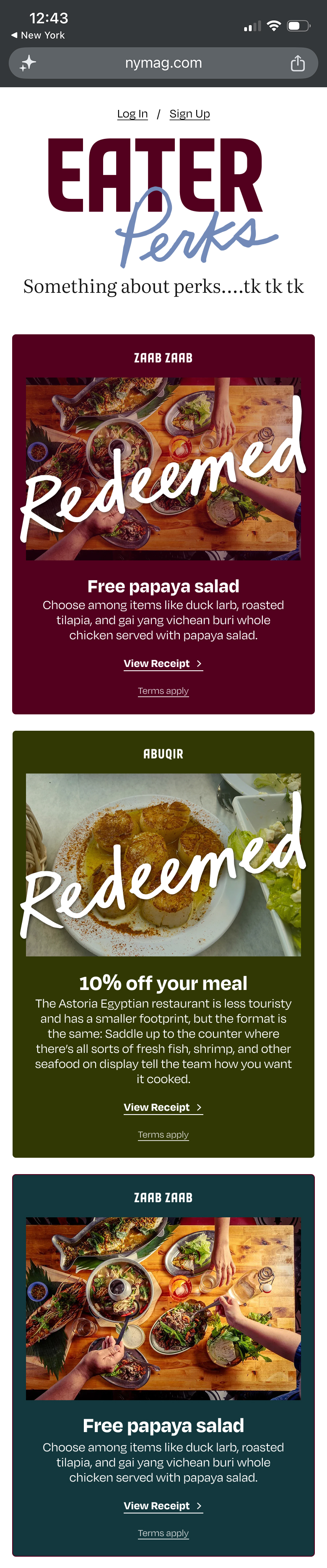
I jumped back into Figma to try a few quick ideas. Cursor is great for prototyping but for quickly iterating and comparing design mocks, I still find Figma to be better. I liked having different colored backgrounds on each perk but I wanted to see which type and layout was best, especially when considering the redeemed state change.
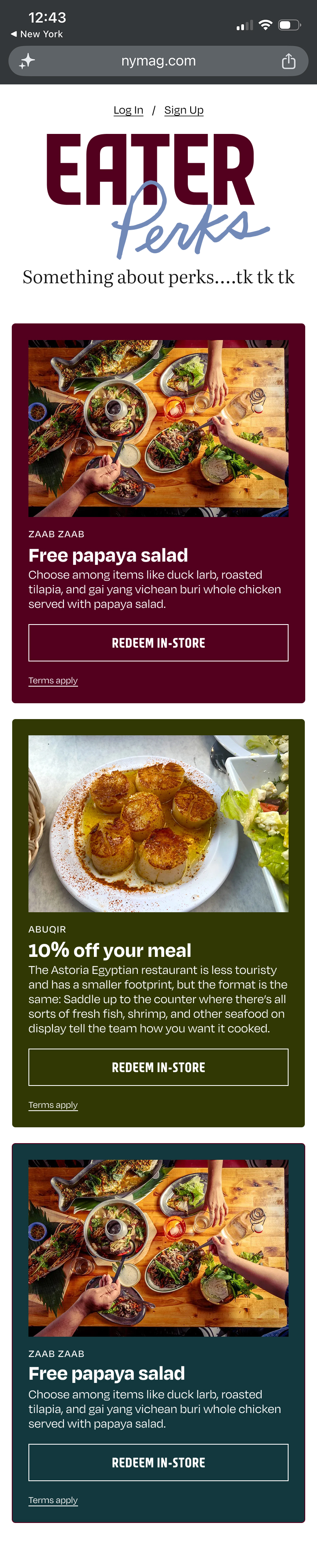 perk design option
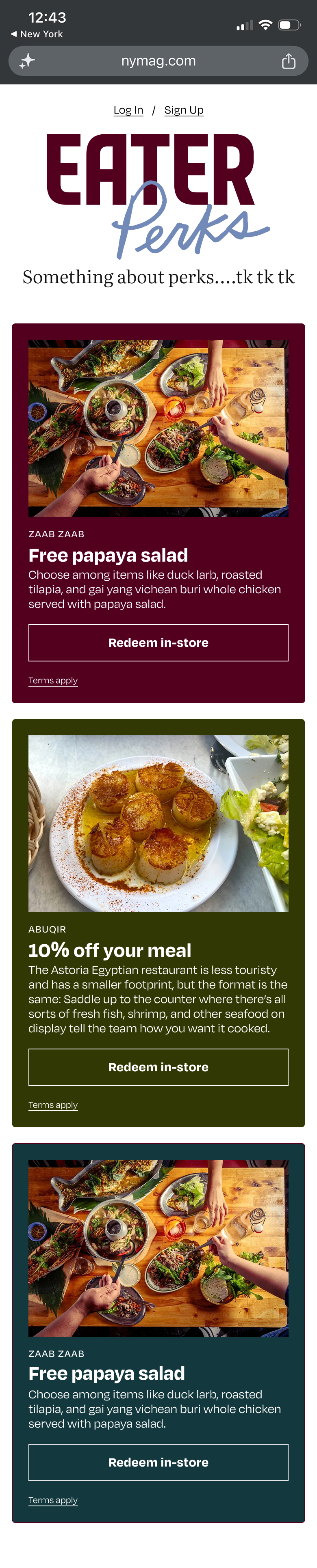 perk design option
 perk design option
 perk design option
 redeemed design option
 redeemed design option
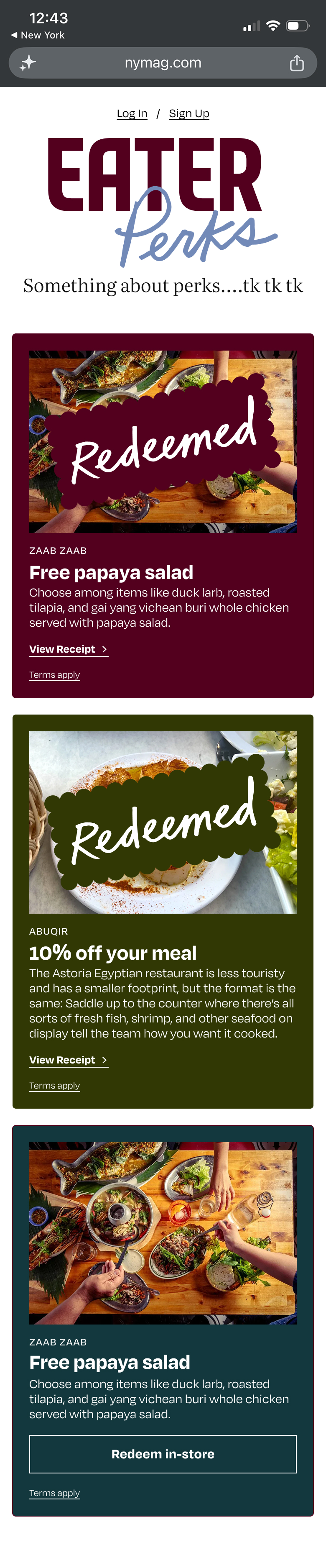 redeemed design option
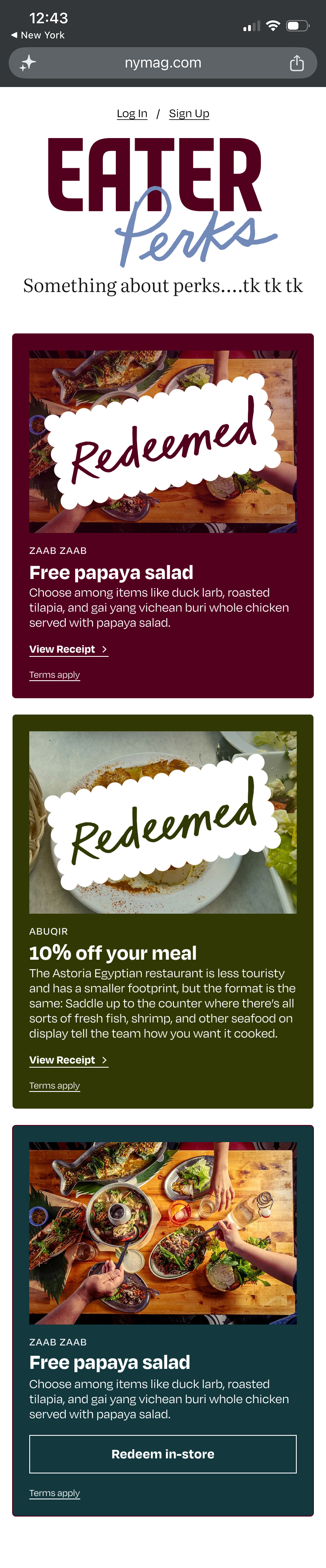 redeemed design option
Final Prototype & Handoff
The creative director liked perk design option #2 and redeemed design option #4 so I prompted Cursor to update the original prototype to reflect these designs. When I was playing around with this prototype, I decided it would be nice to be able to go back to the city picker step so I added a small unit between the header and the first perk that allowed the user to do that.
Once the prototype was cleaned up, I passed it over to an engineer via a Github PR. I had reviewed the front-end code but the engineer needed to hook up the redeemed perk state to the user's data so that information was saved across the user's profile. The engineer also wanted to set up different URLs for each city's landing page. Otherwise, I was able to complete most of the front-end code via Cursor.